Best Mobile App for Security Guard Operations: Top 5 Options
Best mobile app for security guard operations, patrols, and reporting: 1. GuardTrac 2. GuardsPro 3. THERMS 4. QR-Patrol 5. TrackTik
Managing security guards across multiple sites involves more than filling shifts. Managers also need proof of completed patrols, incident details, and updates for clients.
A security guard app lets officers clock in, scan checkpoints, and submit reports from their phones. The best mobile app for security guard operations should help the office verify that work, too.
We’ve selected five of the best apps for you, from patrol tools to full management platforms. Here’s how they compare on scheduling, reporting, payroll, and billing.
TL;DR
Here’s how five of the best security guard apps compare based on their main capabilities:
- GuardTrac: Best for all-in-one security guard management.
- GuardsPro Guard App: Best for mobile workforce management.
- THERMS: Best for custom reports and supervisor review.
- QR-Patrol: Best for checkpoint verification.
- TrackTik Guard Tour: Best for guided patrols and guard safety.
What to Look for in a Security Guard Management App
Patrol-focused tools verify site visits. Full management platforms also connect field activity with staffing, payroll preparation, and client updates. Compare the following capabilities based on the work your team handles:
- GPS tracking and patrol verification: GPS records indicate where officers traveled. QR or near-field communication (NFC) scans confirm checkpoint visits and flag missed stops.
- Time and attendance: A mobile time clock with geofencing verifies clock-ins at the assigned client site and records hours for payroll review.
- Incident reporting and safety: Photo attachments document what happened, while emergency alerts notify supervisors when someone requests assistance.
- Scheduling and dispatch: Open-shift requests help fill vacant posts. Assignment updates let field personnel know when plans change.
- Client reporting: A client portal lets authorized clients view approved site activity without contacting an account manager for each update.
- Payroll and billing: Reviewed timesheets help administrators verify overtime. Location-specific rates help billing staff prepare invoices.
- Mobile usability: Check battery life, navigation, and offline behavior during a full shift, particularly where reception is unreliable.
5 Best Mobile Apps for Security Guard Operations
The five apps below offer different combinations of mobile patrol tools and workforce management features. Here’s how each handles field duties and office administration.
1. GuardTrac: Best for All-in-One Security Guard Management
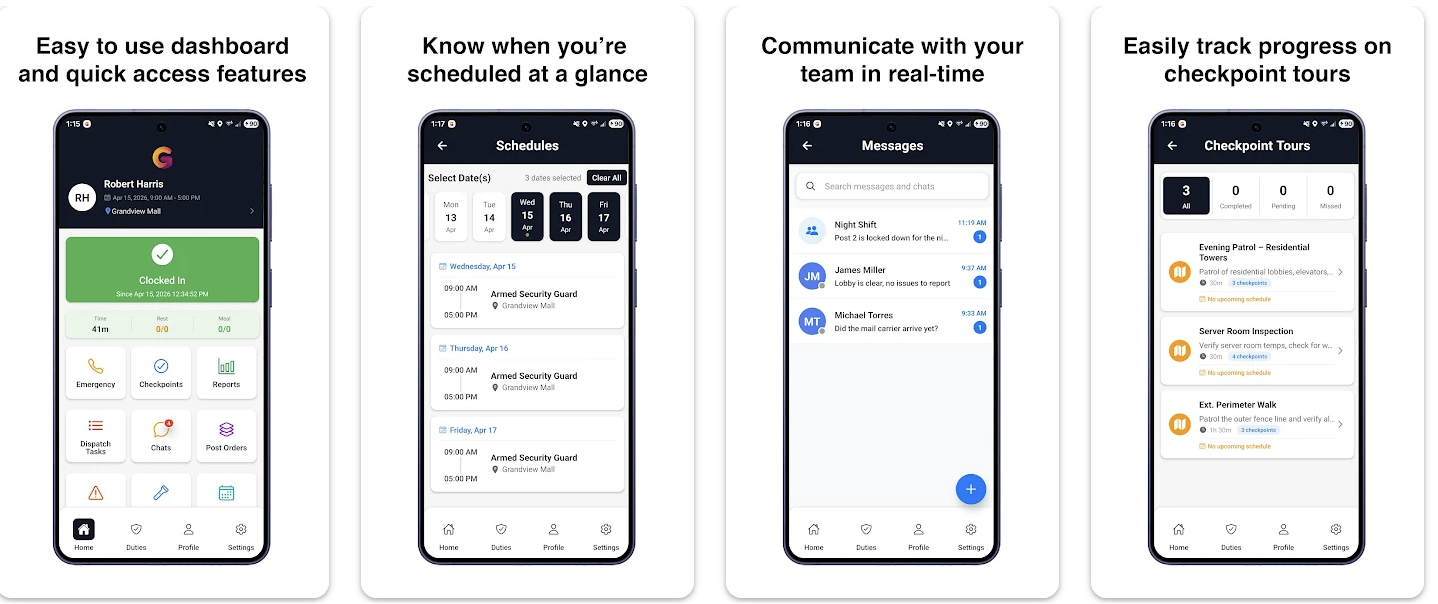 GuardTrac pairs an iOS and Android mobile app with a web-based management dashboard. The security guard management software helps private contract security firms coordinate officers at multiple client locations without relying on paper logs or separate administrative tools.
Key Features
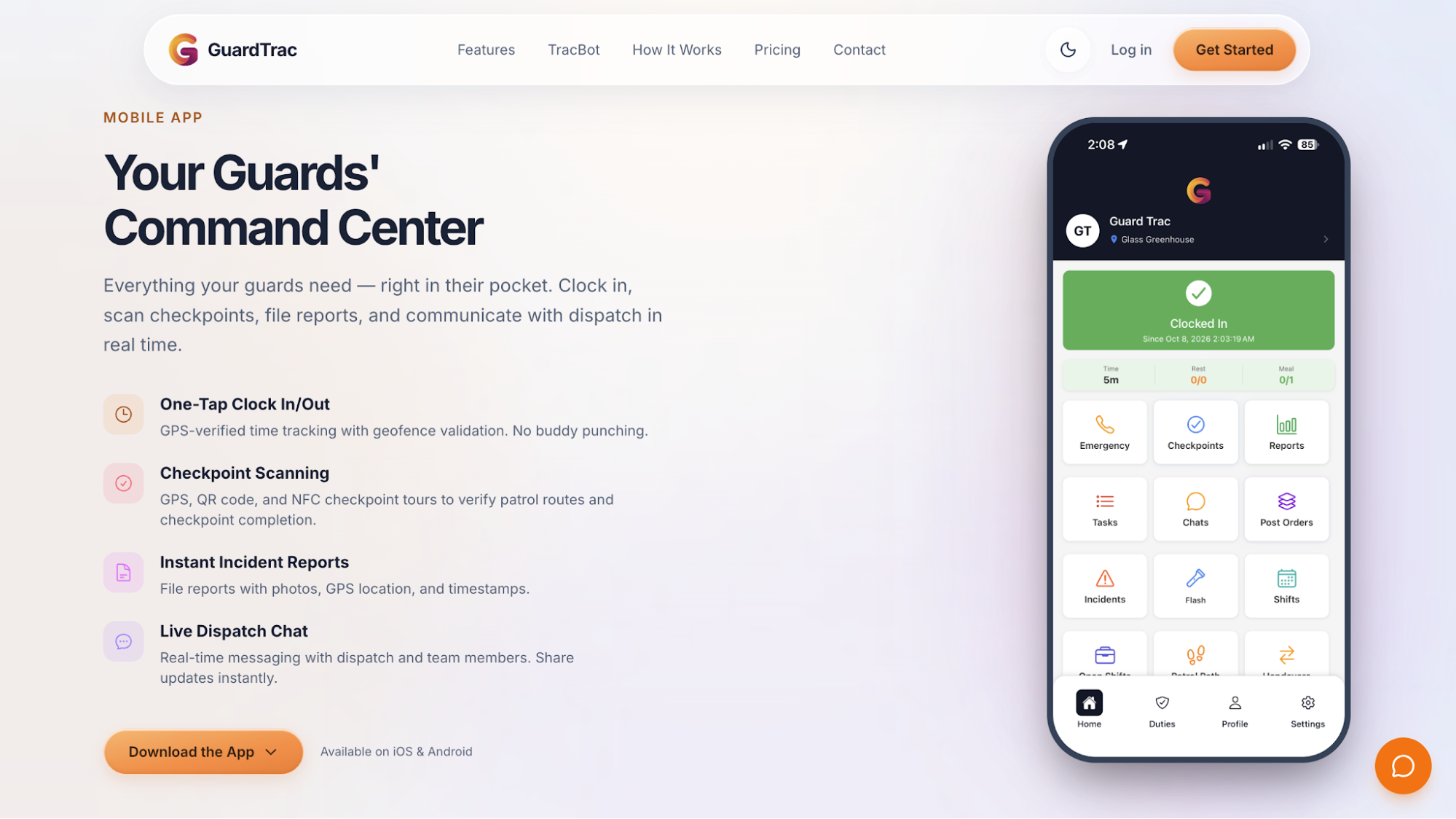
- Mobile clock-in and time tracking: Officers clock in or out with one tap. GPS and geofence validation verify attendance at assigned locations and record hours worked.
- Patrol tours and checkpoint verification: Personnel scan QR or NFC tags during site tours, giving supervisors timestamps for completed visits. Pro also provides GPS checkpoints.
- Scheduling and shift coverage: The app delivers assignments, acknowledgments, and open-shift requests. Administrators use the dashboard to prepare recurring rosters and fill vacancies.
- Incident reporting and post orders: Field officers submit photos, GPS locations, and timestamps with each entry. The app gives them easy access to site-specific post orders during their shifts.
- Live dispatch and safety: In-app chat connects the field with dispatch in real time. Officers send SOS alerts, while supervisors acknowledge emergencies and record responses.
Why GuardTrac Fits Multi-Site Security Operations
When a client questions a completed patrol, account managers can compare attendance, checkpoint history, and incident submissions in the dashboard. The same platform lets supervisors approve entries and prepare custom reports for each site.
Authorized contacts access site records through the client portal. GuardTrac supports branded PDF exports, while Pro adds scheduled email delivery to reduce manual client updates.
For administration, reviewed time records help payroll staff check overtime and export files. GuardTrac also includes location-specific billing rates and invoice management.
Essentials covers core mobile duties. Pro adds payroll preparation, automated client emails, TracBot AI, GPS checkpoints, and additional dispatch tools.
2. GuardsPro Guard App: Best for Mobile Workforce Management
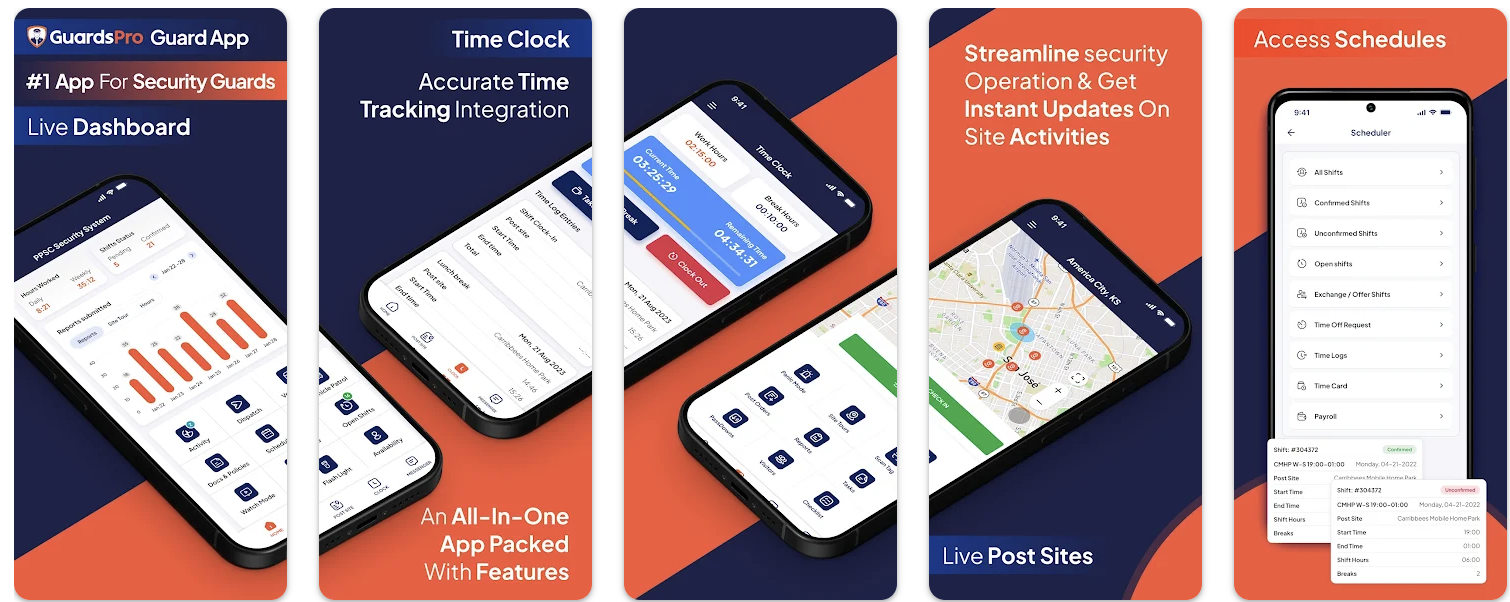 Image source: play.google.com
The GuardsPro mobile app connects field officers with the wider GuardsPro Physical Security Platform. Personnel handle post duties by phone while administrators oversee rosters and time records from the back office.
Key Features
- GPS tracking and patrol tours: Officers clock in at assigned post sites and scan QR, NFC, or virtual tour tags. GPS records on-site movement while they’re checked in.
- Shift management: Personnel view open shifts, confirm assignments, request exchanges, and apply for time off. Office administrators approve schedule changes.
- Incident reporting: Staff submits daily activity entries with photos, audio, or video. Automatic draft saving lets them finish an incomplete form later.
- Site instructions and visitor management: Officers acknowledge post orders, register visitors or vehicles, and leave passdown notes for incoming colleagues.
- Communication and safety: The app provides dispatch tickets, assigned tasks, and messaging with supervisors and other guards. Its panic button sends an emergency alert with the officer’s location.
GuardsPro offers payroll, invoicing, and client portal modules through the larger platform. Check which functions the proposed subscription includes, particularly those your office will use.
3. THERMS: Best for Custom Reports and Supervisor Review
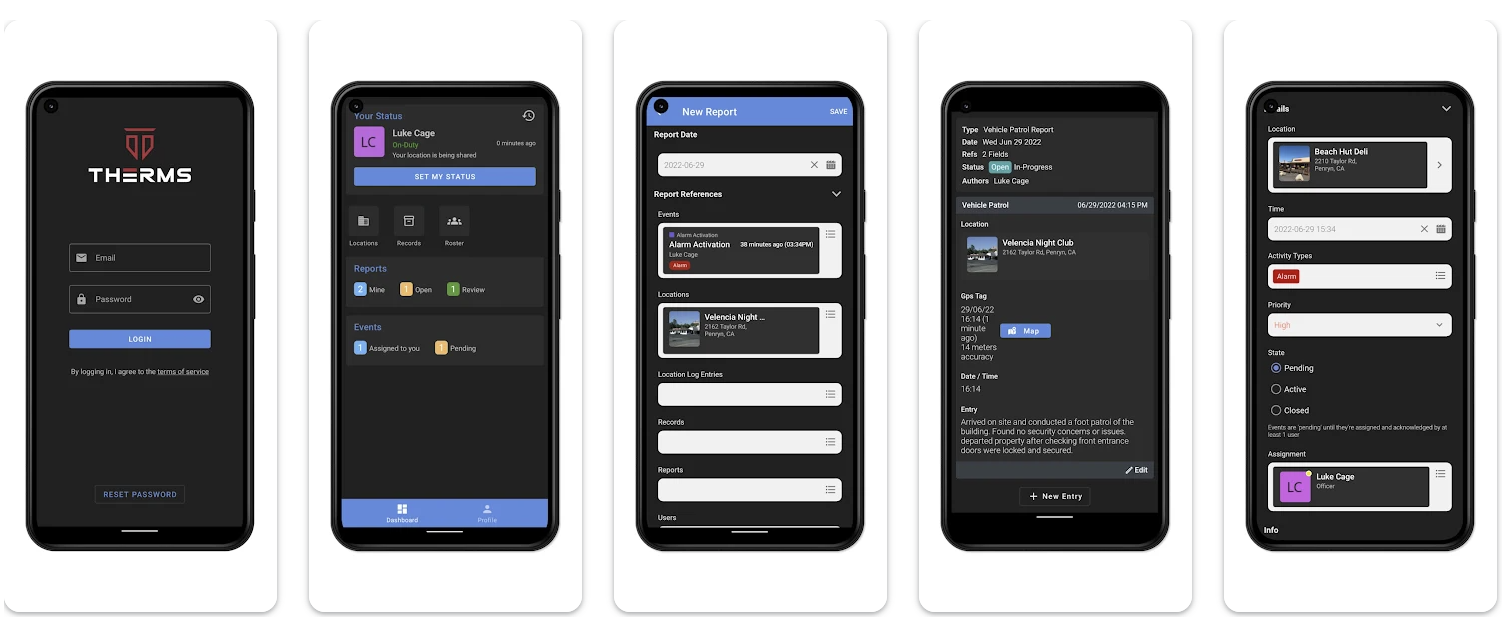 Image source: play.google.com
THERMS lets security teams configure report forms for different client-contract requirements. Supervisors set the fields officers complete at each property and review their submissions before delivery.
Key Features
- Patrol tracking: Officers scan QR or NFC checkpoints during rounds. Supervisors inspect route completion and GPS position history to investigate missed visits.
- Custom reporting: Administrators create templates with a drag-and-drop editor. Field personnel attach photos and location details, while authorized users add notes for internal review.
- Review and client delivery: After supervisor approval, THERMS distributes PDFs to subscribed recipients. Clients can also view permitted site activity through a portal.
- Dispatch and site information: The app provides post orders, contact details, passdown notes, and be-on-the-lookout notices. Dispatchers assign service calls and follow their status.
- Scheduling and attendance: Managers publish shifts and compare planned hours with actual attendance. GPS geofencing checks clock-in locations, while Excel or CSV files provide payroll-ready records.
THERMS also tracks events through active, pending, and closed statuses, allowing supervisors to find cases awaiting follow-up. Firms should verify how its exports connect with their payroll provider and whether invoicing requires another application.
4. QR-Patrol: Best for Checkpoint Verification
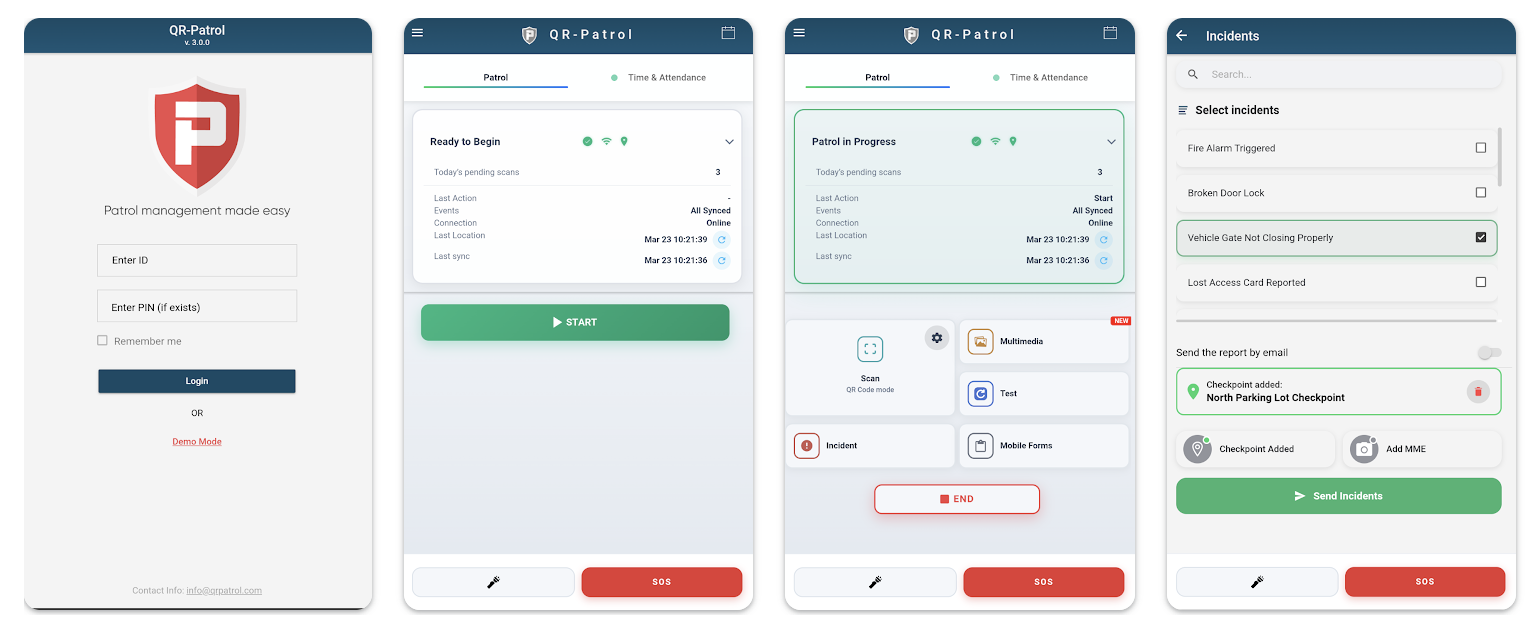 Image source: play.google.com
QR-Patrol is a cloud-based guard tour app for security companies that provide routine patrol services at client properties. Its web dashboard shows recorded visits without requiring handwritten logs.
Key Features
- Checkpoint verification: Officers scan QR codes, NFC tags, Bluetooth Low Energy (BLE) beacons, or virtual checkpoints. Each visit creates an event in the web dashboard.
- GPS tracking: GPS and Wi-Fi positioning indicate personnel locations. The web map helps supervisors monitor activity without traveling to each property.
- Incident reporting and safety: Field workers select predefined incident types or submit photos, audio, and notes. The SOS button sends an alert to the monitoring center.
- Patrol notifications: The cloud dashboard displays incoming checkpoint events. Clients can receive email notifications about visits to their properties.
- Scheduling and timekeeping: The web system lets supervisors schedule patrol routes and export tour records. Its higher-tier attendance tools record working hours.
QR-Patrol stores patrol events locally during connection interruptions and uploads them when service returns. Virtual checkpoints and attendance tools appear on the Gold plan. Check subscription terms, equipment requirements, and how the software fits your payroll and billing arrangements.
5. TrackTik Guard Tour: Best for Guided Patrols and Guard Safety
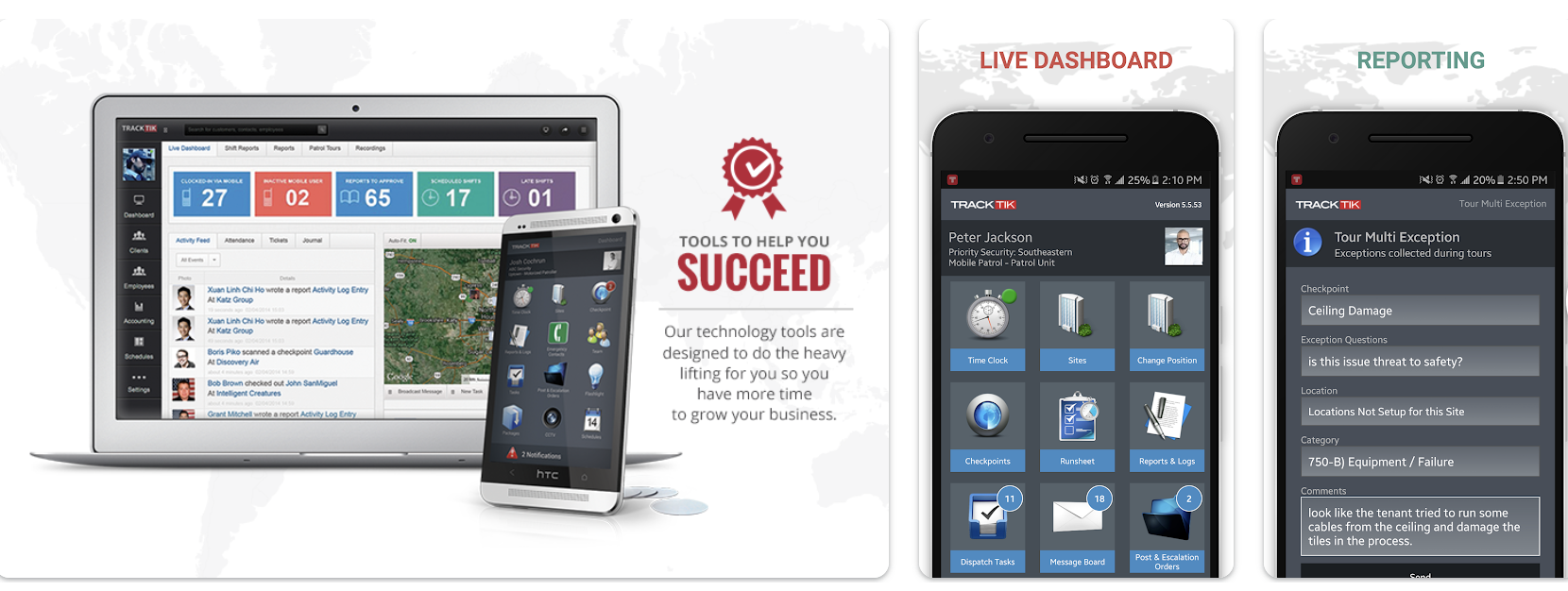 Image source: play.google.com
TrackTik Guard Tour is an iOS and Android app within Trackforce’s TrackTik platform. It presents patrol duties on officers’ phones and sends progress records to the management dashboard.
Key Features
- Guided patrols: The app displays assigned tasks and checkpoint visits for each round. Supervisors can identify unfinished tours from recorded progress.
- Live patrol monitoring: Operations staff check officer locations and receive live notifications about missed checkpoints or incidents.
- Incident reporting: Personnel submit daily activity or incident forms during their rounds. Administrators configure templates for each contract.
- Lone-worker safety: A panic alarm lets officers request assistance. Fall detection and a danger-zone timer provide alerts for potential emergencies.
- Site instructions and shift information: Staff access post orders, previous logbook entries, and assignment details from their phones.
TrackTik’s wider platform includes workforce scheduling, time and attendance, payroll preparation, and billing. Confirm which modules are part of the quoted package and how the vendor prices them.
How to Evaluate a Security Guard App for Daily Operations
A list of core features won’t reveal how much work an app requires during a busy shift. A free trial or product demo helps your team find out before committing to a provider.
Request access to the mobile application and management dashboard. Include field officers, dispatchers, supervisors, and office personnel, each testing their own responsibilities.
Start with setup. Ask an administrator to add a location, assign staff, and configure permissions. Note where new users require assistance and whether the vendor provides clear instructions.
Next, have officers perform familiar duties on the mobile devices they already carry. A user-friendly interface should let them find assignments and complete entries without asking someone to explain each screen. Also watch for connection problems.
Office administrators should test their workflows, too. Have supervisors review submissions and payroll personnel verify recorded hours. Account managers should generate reports for clients and note where they still re-enter information.
Compare quotes for your workforce, including optional modules, setup fees, and technical assistance. Ask about support hours and how costs change when your business adds personnel or locations.
Finally, gather feedback from both field and office staff. Which actions took longer than expected, and where did they need help? Use those answers to evaluate the software rather than relying on a feature checklist alone.
Document Site Incidents and Alert Dispatch With GuardTrac
 An officer notices a damaged entrance during patrol. A photo shows the problem, but dispatch still needs its location and an explanation of what happened.
When reporting incidents through GuardTrac, officers attach photos, GPS locations, and timestamps to their submissions. They can message dispatch from the same mobile app without switching tools.
Supervisors review that data on the dashboard and coordinate a response with personnel at the property. There’s no need to reconstruct the event from separate photos and chat threads.
The best mobile app for security guard operations should connect field incidents to office responses without interrupting patrol duties.
FAQs About the Best Mobile App for Security Guard Operations
What are the best mobile apps for managing security guards?
The best choice depends on your needs. GuardTrac is the top pick to easily manage patrols, shifts, reporting, and billing in one solution. Other options include GuardsPro, THERMS, QR-Patrol, and TrackTik.
Do security guard apps work without an internet connection?
Some apps store critical data, including checkpoint scans and incident entries, until the phone reconnects. Test whether they retain multiple incidents offline and upload them afterward. Emergency alerts may still require a connection.
Can clients access reports for only their assigned sites?
Yes, platforms with site-level permissions let administrators restrict clients to their assigned properties. Your security practices should include checking those settings before sharing multiple reports with different accounts.
Does a security guard management app replace payroll software?
Not always. Apps may help administrators manage security teams and prepare approved hours without running payroll. Check whether the vendor calculates wages, deductions, and taxes.
Put it into practice
Bring your security operations together.
Manage guards, schedules, patrols and reporting in one place. Try GuardTrac with your own team and sites.
- Guard tracking
- Shift scheduling
- Client reporting
14-day free trial. No credit card required.