Getting Started with GuardTrac: A Step-by-Step Setup Guide
A complete walkthrough for setting up GuardTrac — from creating your account and adding sites to scheduling guards and going live. Get your security operation running in a day.
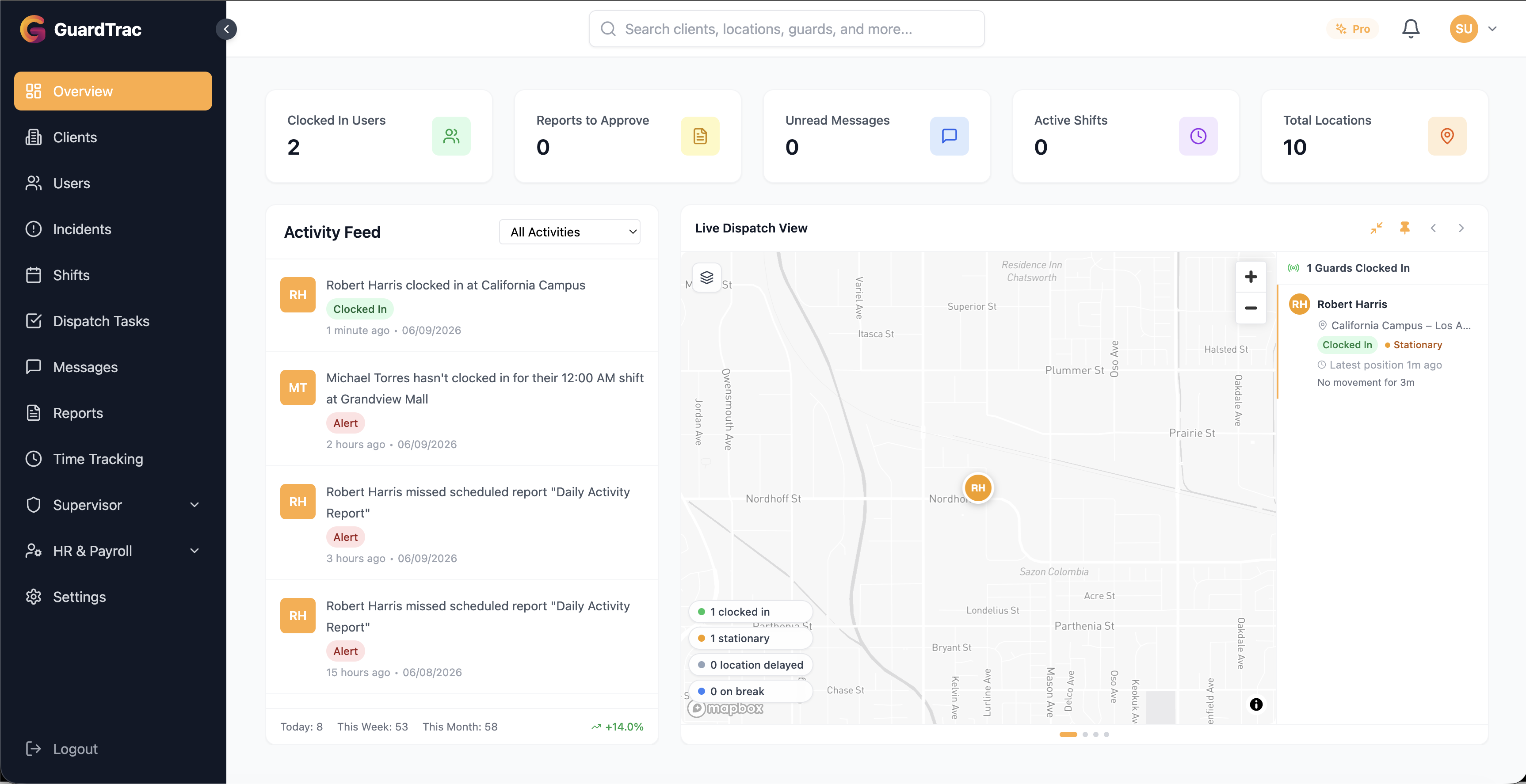
Switching your security operation to new software can feel daunting — but it shouldn’t take weeks. Whether you’re managing a handful of guards or scaling to hundreds, this guide walks you through setting up GuardTrac from scratch and getting your team live, usually within a day.
Here’s the path: create your account, build out your clients and sites, add your team, schedule shifts, and go live. Let’s take them one at a time.
Before You Start: What to Have Ready
Setup goes faster if you gather a few things first:
- Your client and site list — names, addresses, and any site-specific instructions
- Your team roster — names, roles, and contact details for guards and office staff
- Checkpoint locations for any sites that require patrol tours
- Your shift patterns — who typically works where, and when
None of this is mandatory up front, but having it on hand turns setup into data entry instead of decision-making.
Step 1: Create Your Account
Your GuardTrac account is set up through an invitation from our team. Once you receive your onboarding link, you’ll complete a quick registration that includes your company information, primary contact details, address, and subscription plan selection. If you haven’t started yet, you can begin onboarding here.
Step 2: Add Your Clients and Sites
Once logged in, head to the Clients section and create your client profiles. Under each client, add the site locations you cover. For each site you can:
- Set the address and view it on an interactive map
- Configure geofence zones for clock-in enforcement, so guards can only clock in when they’re physically on-site
- Add checkpoints with scannable QR codes or NFC tags
- Set up post orders with site-specific instructions guards can read on their phones
- Define patrol tours that link checkpoints into routes
This is the foundation everything else builds on, so it’s worth getting your sites configured accurately. The geofence and checkpoint setup here is what powers GPS-verified accountability later — more on that in our guide to GPS tracking for security guards.
Step 3: Add Your Team
Go to the Users page to add your team members. GuardTrac supports two user types:
- Office users — Managers and Dispatchers who oversee operations from the dashboard
- Field users — Guards and Supervisors who work on-site
Each user gets login credentials you can share directly or send by email. Field users then download the GuardTrac mobile app (available on iOS and Android) to handle their day-to-day work: clocking in, scanning checkpoints, filing reports, and messaging dispatch.
Step 4: Create Your First Schedule
Use the Schedules module to build shifts and assign guards to sites. The timeline view makes it easy to visualize coverage across every location and day at a glance, and the system automatically flags scheduling conflicts so you can resolve overlaps before they turn into no-shows or double-bookings.
If you’re moving from spreadsheets or paper, this is usually the moment the upgrade pays for itself — predictable, conflict-free scheduling is also one of the most effective ways to reduce guard turnover.
Step 5: Go Live
That’s it — your guards can now clock in at their assigned sites, scan QR or NFC checkpoints during patrols, and file incident reports with photos and GPS data. You’ll see everything in real time from your dashboard: live guard locations, time-tracking records, incident analytics, and activity logs.
We recommend going live with one or two sites first, confirming the flow works for your team, then rolling out to the rest. A short pilot surfaces any site-specific tweaks before they affect your whole operation.
Tips for a Smooth Rollout
- Brief your guards before day one. A five-minute walkthrough of the app prevents most first-day confusion.
- Double-check geofences. If a guard can’t clock in, an overly tight geofence radius is usually the cause.
- Start with the essentials. You don’t need every feature configured on day one — get clock-ins and checkpoints working first, then layer in reports and analytics.
Frequently Asked Questions
How long does it take to set up GuardTrac? Most companies are operational within a day. The bulk of the time is entering your sites and team; once that’s in, scheduling and going live are quick.
Do guards need to install an app? Yes — field users use the GuardTrac mobile app on iOS or Android to clock in, scan checkpoints, file reports, and chat with dispatch.
Can I roll it out to one site before committing my whole operation? Absolutely, and we recommend it. Piloting with one or two sites lets you confirm the workflow before a full rollout.
Have questions about setup? Contact our team and we’ll help you get up and running — or start your free 21-day trial today.
Ready to try GuardTrac?
Start your free 21-day trial today. No credit card required.
Start Free Trial