5 Questions Every Security Company Owner Should Be Able to Answer in 10 Seconds
Your guard management software already collects the data. Here are the five questions clients actually ask — and why most security companies still need 20 minutes and a CSV export to answer them.
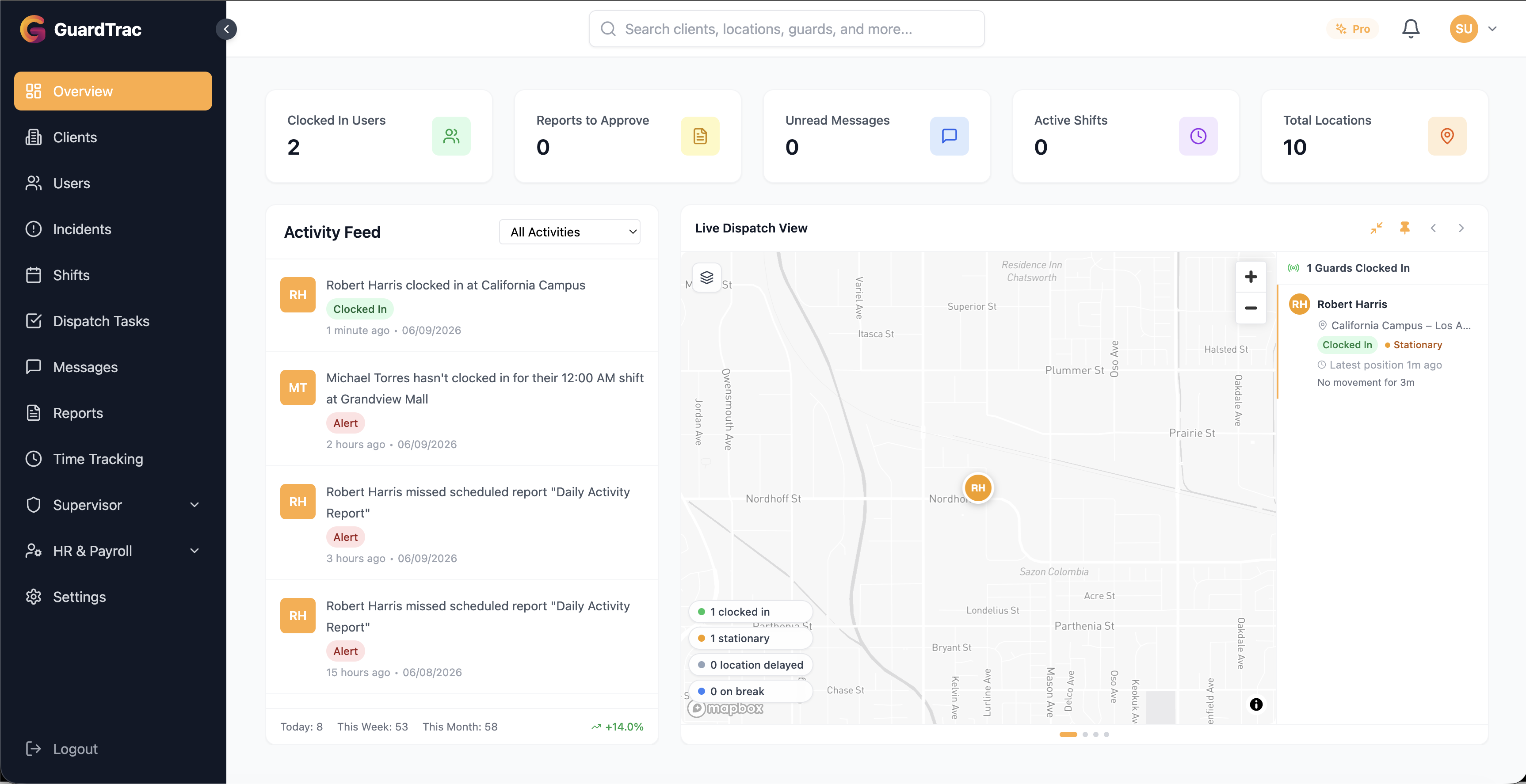
A property manager calls at 7 a.m. asking why nobody was at the north gate at 2 a.m. You know the answer is in your system somewhere. Twenty minutes later you’re still filtering a report and exporting a spreadsheet, and the client is still waiting.
Most security companies solved data collection years ago. Guards clock in with GPS, scan checkpoints, and file incident reports from their phones. The problem is data retrieval — the answers are all in there, but getting one out means knowing which report to run, which filters to set, and which columns matter. In an industry where guard turnover is high and staffing is constant, the person who knows how to run those reports is often the one person you can’t spare.
Short answer: Every security company owner should be able to answer five questions instantly: who’s on shift right now, which guards were late this week, whether all checkpoints were scanned last night, how many hours a specific guard worked last month, and what happened at a given site. If answering any of these takes more than a few seconds, the bottleneck isn’t your data — it’s how you retrieve it.
Why These Questions Are Hard Today
Traditional reporting was built for scheduled output: run the weekly hours report, export the monthly incident summary, send the invoice backup. It works well when you know in advance what you need.
Client questions don’t work that way. They arrive unscheduled, they’re specific, and they’re time-sensitive. “What happened at the loading dock Tuesday night?” isn’t a report — it’s a question. Answering it with a reporting tool means translating the question into filters, running it, reading the output, and translating back. That translation step is where the twenty minutes goes.
Question 1: Who’s On Shift Right Now?
This is the one you get called about most, usually by a client who just walked their property and didn’t see anyone.
You should be able to say, immediately: how many guards are on duty, which sites they’re at, and whether any site is below its contracted minimum. That last part matters most. Knowing you have eight guards out is useful; knowing that one site is running one guard short of its contract is what stops a breach-of-contract conversation before it starts.
What good looks like: a live count by site, with understaffed sites flagged without you having to compare against the schedule yourself.
Question 2: Which Guards Were Late This Week?
Late clock-ins are the earliest warning sign you get. A guard who is twelve minutes late twice becomes a no-show within a month, and no-shows are how you lose accounts.
Most owners only find out about lateness when a client complains, which means the pattern has already been visible in the data for weeks. The number itself matters less than the trend — three late clock-ins this week is a very different situation depending on whether last week had one or nine.
What good looks like: names, sites, and minutes late, plus a comparison against the previous week so you know whether it’s drift or noise.
Question 3: Were All Checkpoints Scanned Last Night?
Checkpoint scans are the proof you sell. They’re the difference between telling a client your guards patrolled and showing them.
The useful version of this question is inverted, though. You don’t want a list of the thirty-four checkpoints that were completed — you want the two that weren’t, and you want to know which shift and which guard they fell under. Exceptions are the signal; completions are the noise.
What good looks like: missed checkpoints only, with the site, the tour time, and who was covering that shift.
Question 4: How Many Hours Did a Specific Guard Work Last Month?
This one shows up in payroll disputes, overtime planning, and client billing questions — usually with someone waiting on the phone.
The total alone rarely settles anything. What resolves the conversation is the breakdown: regular versus overtime, how many shifts, average shift length, and how it compares to the month before. That’s the difference between “he worked 168 hours” and “he worked 168.5 hours across 21 shifts, 12.5 of it overtime, which is six hours more than June.”
What good looks like: the total, the regular/overtime split, and the prior-period comparison in one answer.
Question 5: What Happened at This Site Last Night?
The broadest question and the one clients ask most often after an incident. It’s also the hardest to answer with a conventional report, because “what happened” spans clock-ins, checkpoint scans, incident reports, and dispatch messages — usually four different screens.
What good looks like: a single chronological picture of one site over one shift, pulling from every record type at once.
Closing the Gap
There are two honest ways to fix this.
The first is better reporting hygiene: build saved report templates for the questions you get asked most, so the translation work happens once instead of every time. This costs nothing but setup time, and for a lot of companies it’s enough.
The second is to remove the translation step entirely. This is why we built TracBot, the AI assistant inside GuardTrac. You ask a question the way a client asked it — “any missed checkpoints at Northgate last night?” — and TracBot answers from your own guards, sites, shifts, and reports. There’s no report to pick, no filters to set, and nothing to learn. If you can text, you can use it.
It won’t replace your reporting for scheduled work like payroll runs and invoice backup — structured reports are still the right tool for structured output. What it removes is the unscheduled question, which is the one that actually interrupts your day.
Frequently Asked Questions
How quickly should I be able to answer a client’s question about last night’s shift?
Fast enough to answer while they’re still on the phone. The practical benchmark is under a minute — anything longer means calling them back, and calling back turns a routine question into an open issue the client remembers.
Do I need AI software to answer these questions?
No. Every question in this article can be answered with good reporting and saved templates. AI removes the step where you translate a question into filters, which matters most if you field these questions often or if the person who knows the reporting system isn’t always available.
What is TracBot?
TracBot is the AI assistant built into GuardTrac. You ask questions in plain English about your own operation — guard hours, late clock-ins, missed checkpoints, incidents at a site — and it answers from your data rather than making you build a report.
Which GuardTrac plan includes TracBot?
TracBot is included in the Pro plan, which starts with a 21-day free trial and doesn’t require a credit card to begin.
What if my data is spread across several systems?
Then no tool will answer these questions well, including this one. The prerequisite for instant answers is that clock-ins, checkpoint scans, and incident reports live in one system. If your scheduling is in one place and your reports are in another, consolidating is the higher-priority fix.
Ready to try GuardTrac?
Start your free 21-day trial today. No credit card required.
Start Free Trial