← All features
Custom Reports & Analytics

Reports that fit the site. Evidence you can actually use.

Build the forms your operation needs, collect structured field submissions and review activity across locations with dedicated reporting views.

From field submission to reviewed report Demo data
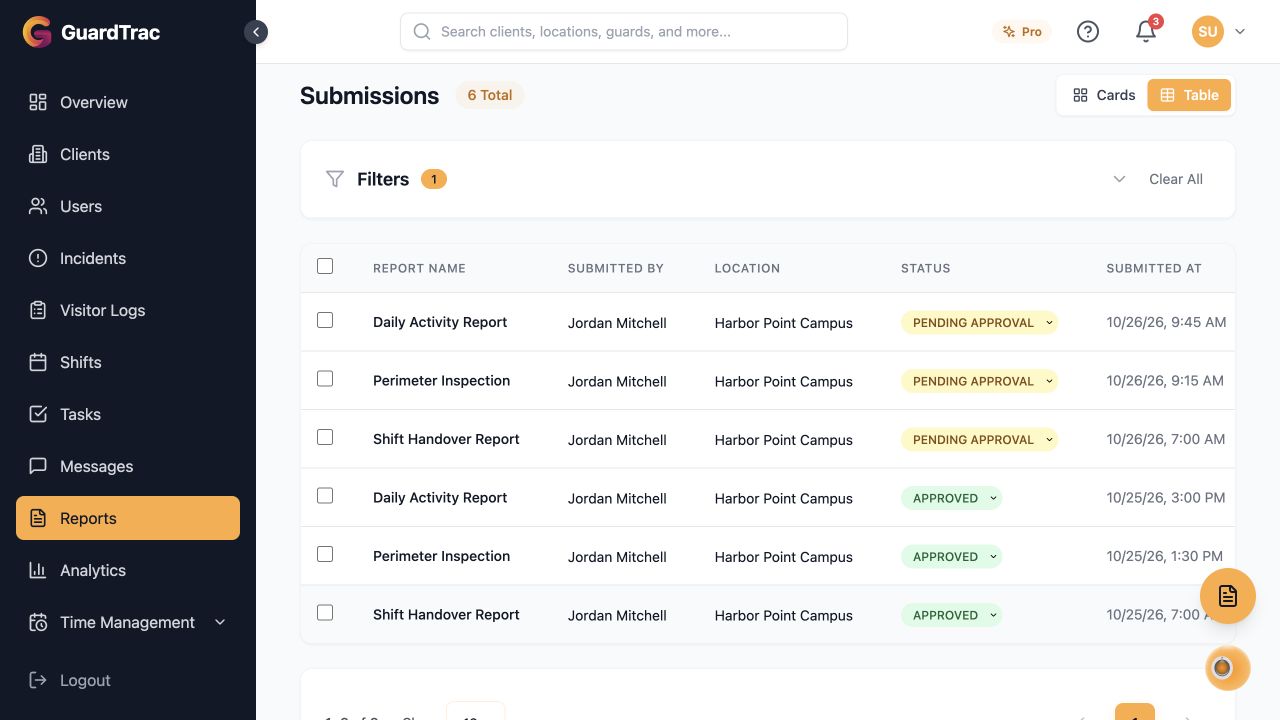
GuardTrac report submissions for Harbor Point Campus, showing daily activity, perimeter inspection and shift handover reports by Jordan Mitchell with pending approval and approved statuses.
Actual GuardTrac interface with sample reports from Harbor Point Campus, showing submitted reports and their review status. Select the image to explore the full-size view.
GuardTrac report submissions for Harbor Point Campus, showing daily activity, perimeter inspection and shift handover reports by Jordan Mitchell with pending approval and approved statuses.

Build forms around your requirements

Capture the details that matter at a particular site instead of squeezing every workflow into the same form.

  • Combine text, selections, checkboxes, numbers and dates.
  • Collect images, videos and signatures.
  • Mark fields as required and assign templates to locations or guards.
  • Use the report-template AI assistant to help draft the structure.

Review what gets submitted

Keep field reporting structured from collection through review.

  • Configure whether submissions require approval.
  • Review submitted reports and supporting evidence.
  • Use custom report templates for repeatable site procedures.

Find the operational picture

Use named report views to investigate site performance and follow up on gaps.

  • Review Daily Activity, Location Summary and Detailed Location reports.
  • Explore checkpoints, incidents, time-clock activity and shifts.
  • Follow missed tasks and handovers across sites.
  • Filter reporting views by date and location.
Start Free Trial →

Feature availability varies by plan and account permissions. Talk with us about your requirements.