Time, Payroll & Billing Bring time records, payroll preparation and client billing together. Review hours and gross pay, then export payroll for your provider.
Start with the right hours
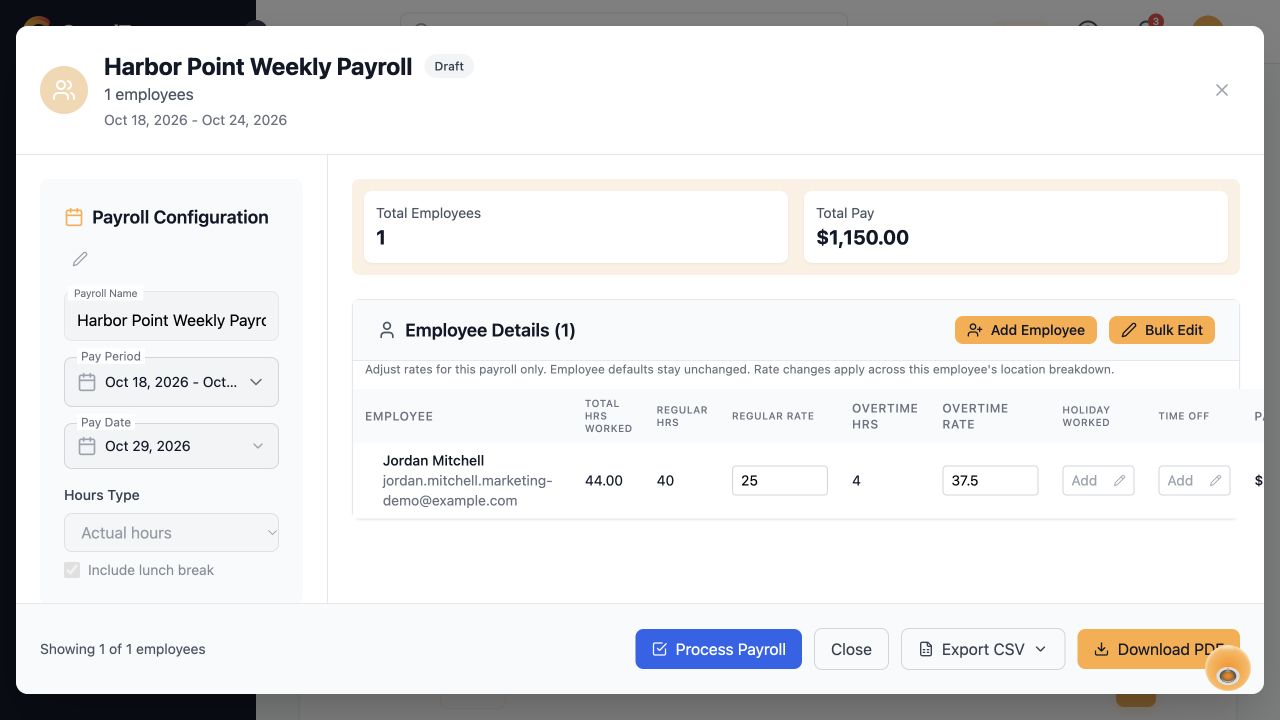
Prepare payroll from clock records, scheduled shifts or approved timesheets.
- ✓Choose weekly, biweekly, semimonthly or monthly pay periods.
- ✓Review regular hours and daily or weekly overtime.
- ✓Include paid time off, holiday hours and holiday premiums from approved timesheets.
- ✓Keep employee pay rates and payroll IDs on file.
Review payroll, then export
Check each employee’s hours and gross pay before downloading a file for your payroll provider.
- ✓Save draft batches, then process them to lock the figures.
- ✓Reopen a batch when you need to correct it.
- ✓Download standard CSV or ADP Workforce Now Pay Data Import files.
- ✓See when each batch was exported, by whom and in which format.
Keep client billing organized
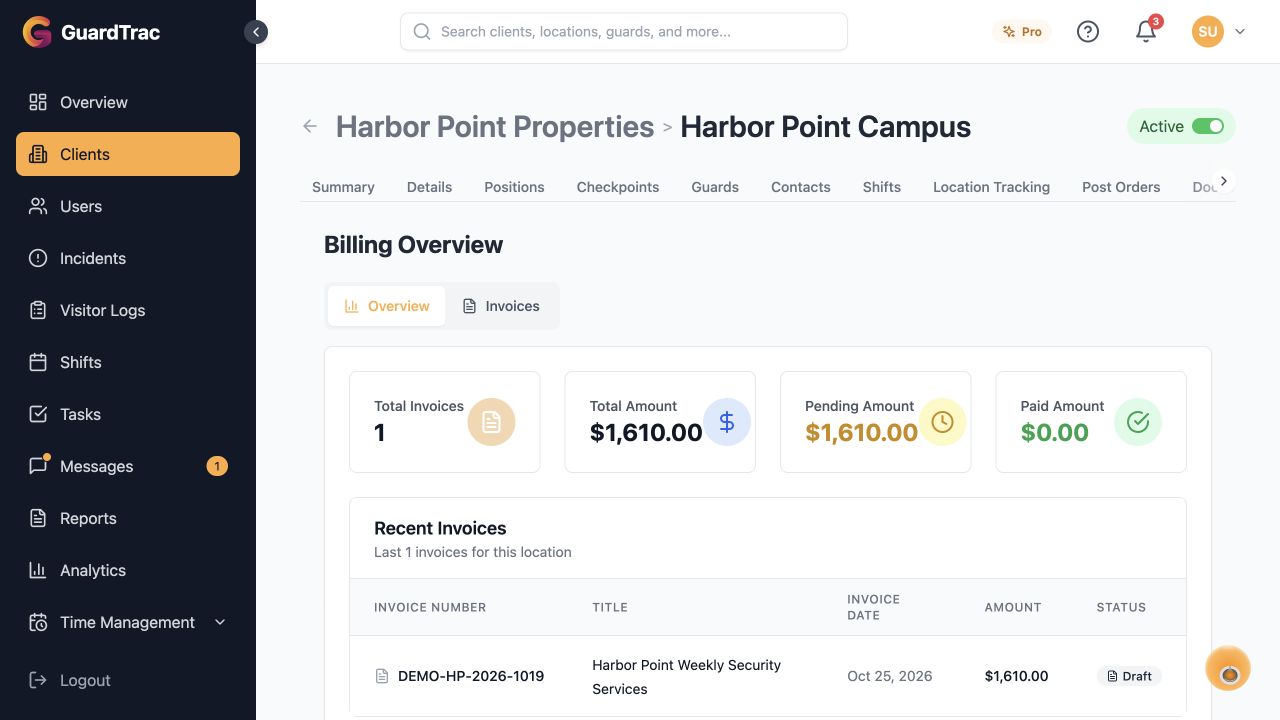
Manage rates, billing records and invoices for each client location.
- ✓Configure location billing rates.
- ✓Maintain billing records and client invoices.
- ✓Review invoice statuses and billing summaries.
- ✓Give clients billing visibility through the pages you enable in their portal.
HR & Payroll is included in Pro and Enterprise. Upload export files to your payroll provider yourself; your provider handles taxes, deductions and net pay.
Start Free Trial → Feature availability varies by plan and account permissions. Talk with us about your requirements.